SolarEdge Inverter Shutdown and Restart
Restarting your SolarEdge inverter can often resolve Wi-Fi dropouts, communication faults, or minor system errors.
Before you start
- Perform the restart during daylight hours so the inverter receives solar input.
- Check that there are no visible faults, loose connections, or damaged isolators.
- If your inverter has a battery connection (for example, in hybrid setups), make sure the battery system is idle and not in backup mode.
- Never restart during a lightning storm or when system components appear damaged.
Step by Step Guide
-
Turn off the AC isolator
The AC isolator is located next to the inverter and clearly marked “AC Isolator.”
Turn the switch to the OFF position.
-
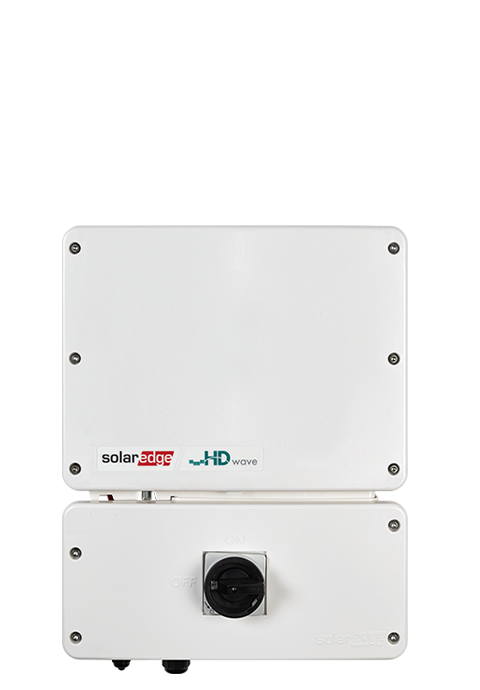
Turn off the DC isolator
The DC isolator is integrated into the inverter.
It is labelled “PV Array DC Isolator.”
Turn the switch to the OFF position.
Wait 60 seconds for the inverter to fully de-energise.
-
Wait 1–2 minutes
Allow all lights and display indicators to switch off completely.
This ensures internal capacitors discharge and the system resets fully.
-
Turn the DC and AC isolators on
Turn the DC isolator switch to the ON position first.
Then turn the AC isolator switch to the ON position.
The inverter will take about 60 seconds to power back up.
-
Allow the inverter to start up
The inverter will run internal checks and initialise communication.
Within a few minutes, the inverter display or LEDs should show normal operation.